CUSTOMIZE YOUR RECEIPT
How to add your logo to a receipt
Open a receipt template, choose your logo from your device and adjust it in the live preview. ReceiptLab processes the image locally in your browser.
1. Open Business & logo
Start with the itemized receipt template, or choose another design. In the editor, open Business & logo and choose the logo upload control. Select a PNG, JPEG or WebP image from your device.
Images must be at most 5 MB and no more than 4,096 pixels wide or high. A clean, tightly cropped image makes it easier to position the logo. A transparent PNG is useful when you want the receipt paper to show around the mark.
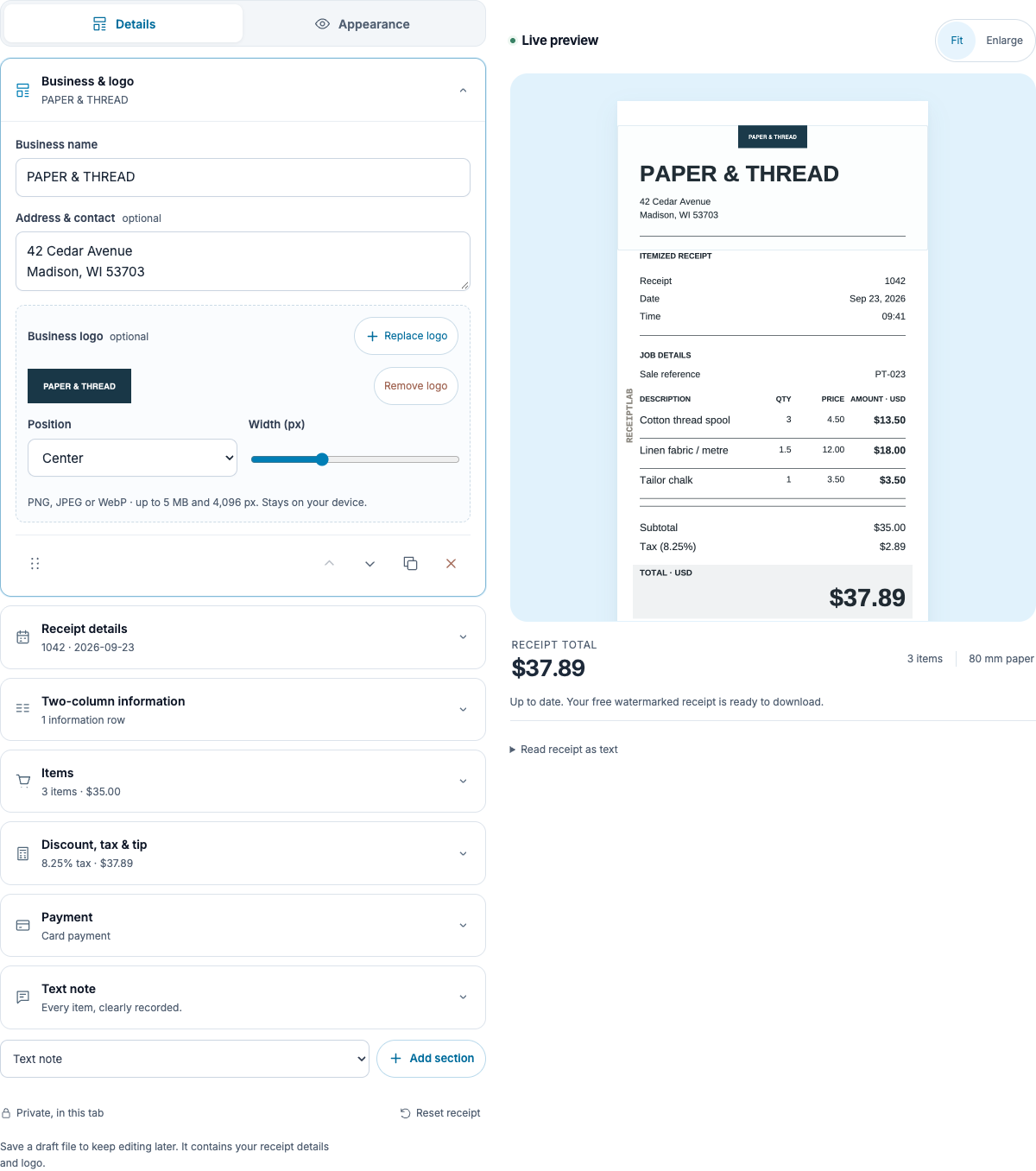
The screenshot uses an original fictional logo. Your uploaded image remains on your device.
2. Adjust the logo in the preview
Use the logo size and position controls, then inspect the receipt preview. Check the space above the business heading and the clarity of small letters. A wide logo and a square mark may need different size settings.
If the logo looks too small even at a larger setting, check for empty space inside the source image. Crop that space in your image editor and upload the revised file. Choose a readable version of the mark for narrow paper.
Which paper size should I use?
For a compact counter receipt, preview 58 mm or 80 mm. For a service document with longer details, A4 may be easier to read. The paper-size guide shows the same transaction at each width.
3. Check the actual exported file
Select Download, choose PNG or PDF and open the file after it downloads. Check that the logo is legible at the size you will share or print. Free exports include a ReceiptLab watermark.
Use Save draft if you want to keep editing later. The draft file includes the logo and receipt details, so store it as you would the finished receipt. Closing the tab without saving loses the current draft.
Does replacing a logo change the totals?
No. The logo is part of the appearance. Item quantities, prices and adjustments control the calculations.
Can I remove the logo?
Yes. Use the removal control in Business & logo. The editor can produce a text-only receipt with your business heading.