Layout and printing
Choose a receipt paper size
Choose 58 mm for a narrow slip, 80 mm for more room in a receipt layout, or A4 for a full document page. In ReceiptLab, the choice changes the layout and PDF page dimensions. It does not tell you which paper or roll your printer supports.
One sale at three paper sizes
These exports use the same Form & Field items, $52.50 total and longer example note. Only the paper size changes. Compare where item descriptions and the note wrap; open a full-size image or PDF to inspect the text.
The previews below are fitted to this page and are not displayed at physical scale. Use the downloaded PDF for document dimensions.
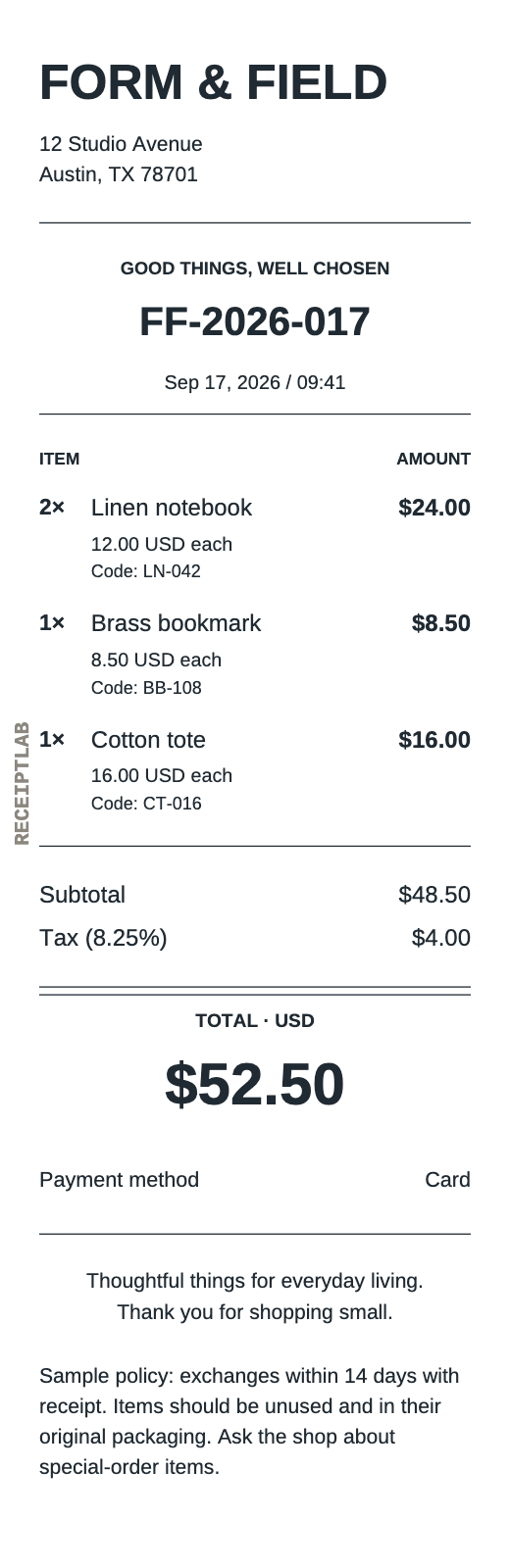
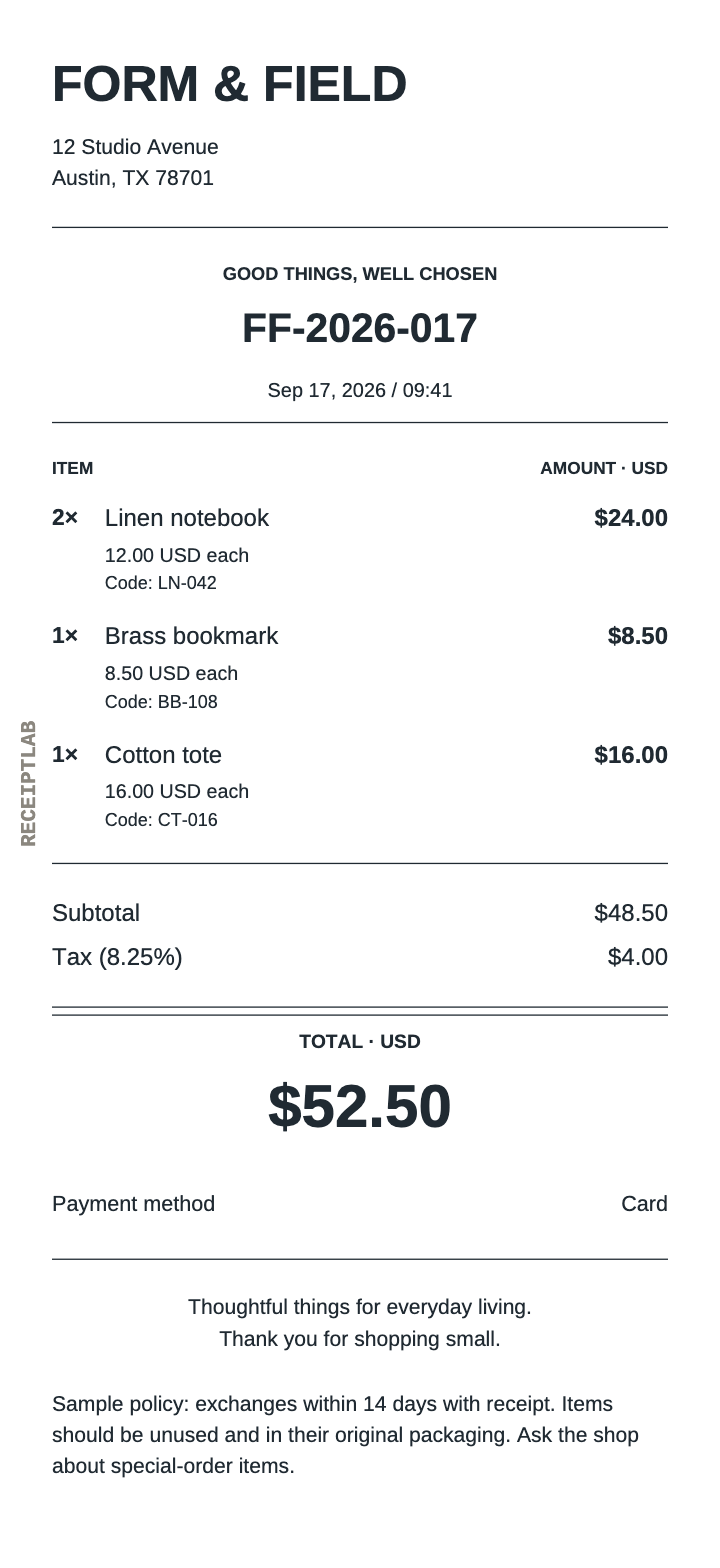
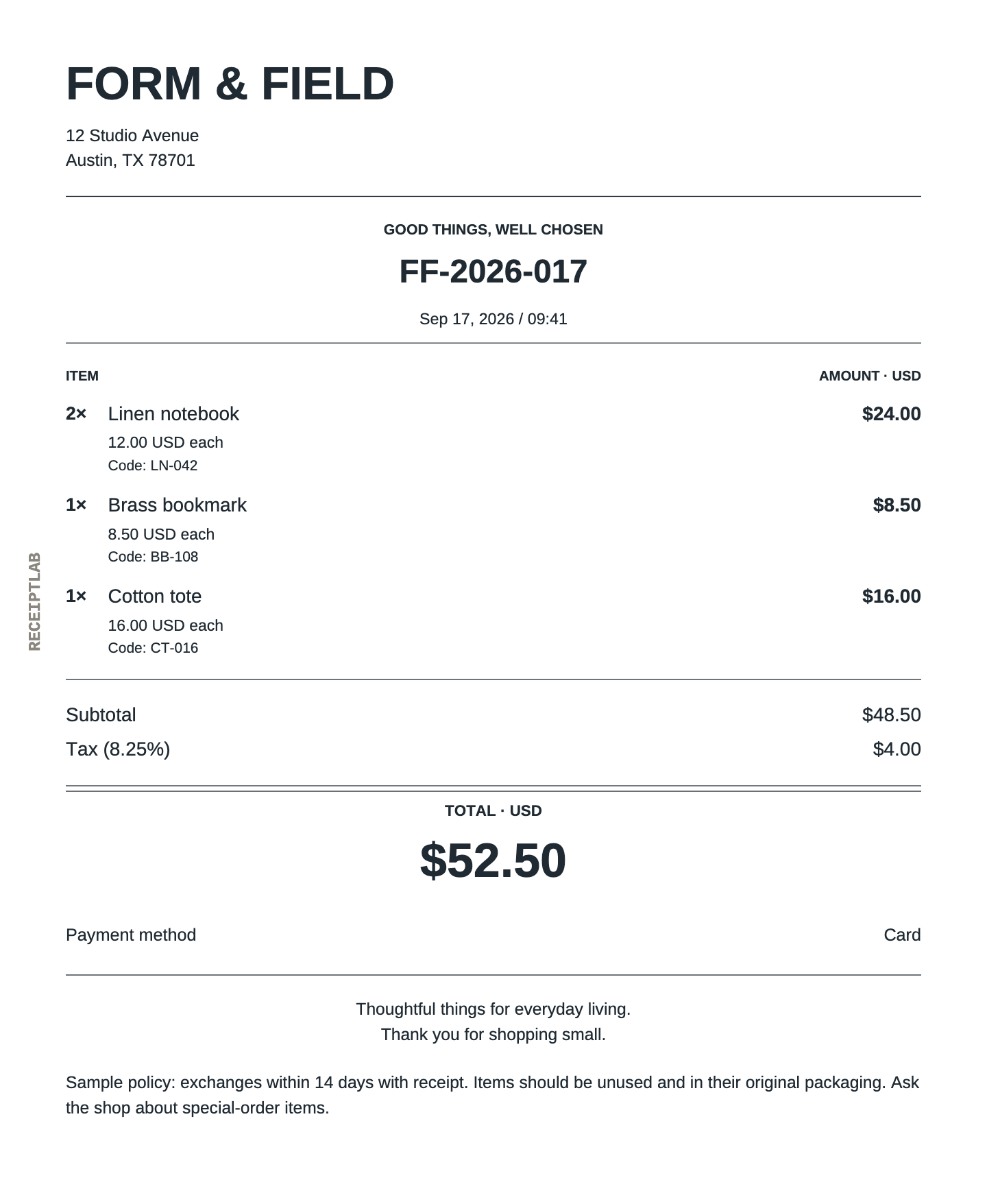
| Size | PDF dimensions | What to inspect |
|---|---|---|
| 58 mm | 58 × 178.46 mm | Long item names, product codes and extra notes |
| 80 mm | 80 × 174.22 mm | Column spacing and payment details |
| A4 | 210 × 297 mm | Page breaks and the position of the final total |
Each sample PDF fits on one page. The narrow receipts have slightly different heights because their content wraps differently. Those heights describe these files; your receipt length depends on your items, notes and appearance settings.
Choose a size in the editor
Open Appearance → Paper size and select 58 mm · narrow, 80 mm · standard or A4 · document. Every template can use all three. The quantities, prices and calculated totals stay the same when you change the size.
For a short receipt, try a narrow starting layout such as the bakery template. For an itemized shop sale, start with the retail template. For detailed work or booking information, try the A4 service or hotel layout.
Check the longest item name, any item codes, your business address and the final payment summary. If the narrow version becomes hard to read, try wider paper before reducing text size. A short description with a clear unit is usually easier to scan than one row containing the whole job history.
Paper size and image resolution do different jobs
Paper size changes layout width and text wrapping. Image resolution changes the pixel count of a PNG. Raising the resolution of a 58 mm receipt does not turn it into an 80 mm layout.
PDF preserves selectable text and gives the document an explicit page size. Long receipts can continue across PDF pages; narrow pages retain the selected width. A PNG contains the receipt as one image, and its printed size depends on the application’s print settings.
For PNG, start with Sharp · 2× in the download dialog. If the editor flags a barcode that needs more detail, use a higher resolution, a shorter barcode value or wider paper. Review the finished file after export, especially when you add many items or a long note.
Print the PDF at the intended scale
- Download the PDF at your chosen size. Confirm the size in the download dialog.
- Select the intended printer and paper settings. Check the printer’s own documentation for supported media and printable area.
- In Adobe Acrobat’s print dialog, open Size under Page Sizing & Handling. Choose Actual size to preserve the PDF scale.
- Inspect the print preview and make a sample print before a larger run.
Adobe explains that Actual size does not scale the page and can crop content that does not fit. Fit resizes the page to the selected paper’s printable area. See Adobe’s PDF page-size printing instructions.
A 58 mm or 80 mm export is a document width, not a printer compatibility claim. ReceiptLab has not been tested on specific receipt printers. Matching the roll width alone does not establish that your printer’s printable area and settings will fit the document.
Free PNG and PDF downloads include the ReceiptLab watermark, as these examples show. Paid exports without the watermark are planned; checkout is not available yet.