Record keeping
Receipt numbering for your own business
Use a consistent reference for each receipt you issue, and keep a separate record of which references you have used. In ReceiptLab, you enter the reference manually in Receipt details → Receipt number.
ReceiptLab does not reserve numbers, detect duplicate references across files, advance a sequence or synchronize it between devices. Opening a saved draft keeps its existing receipt number.
Choose a format you can maintain
A simple option is a short business prefix, a year and a sequence: FF-2026-001, then FF-2026-002. Here, FF identifies the fictional Form & Field business, 2026 is the year and the last three digits are the manual sequence.
This format is an organizational example, not a required numbering convention. You can use the reference format already used in your records. Keep it short enough to read easily on your chosen receipt width; the editor accepts up to 60 characters.
Decide where the next number is recorded and who updates it. If more than one person issues receipts, use a shared record or your existing business system to coordinate references. ReceiptLab’s local files do not coordinate numbering for you.
Two sales, two references
These fictional receipts are both dated September 17, 2026. They show different quantities, totals and references. Changing the receipt number alone would not turn the first sale into an accurate record of the second.
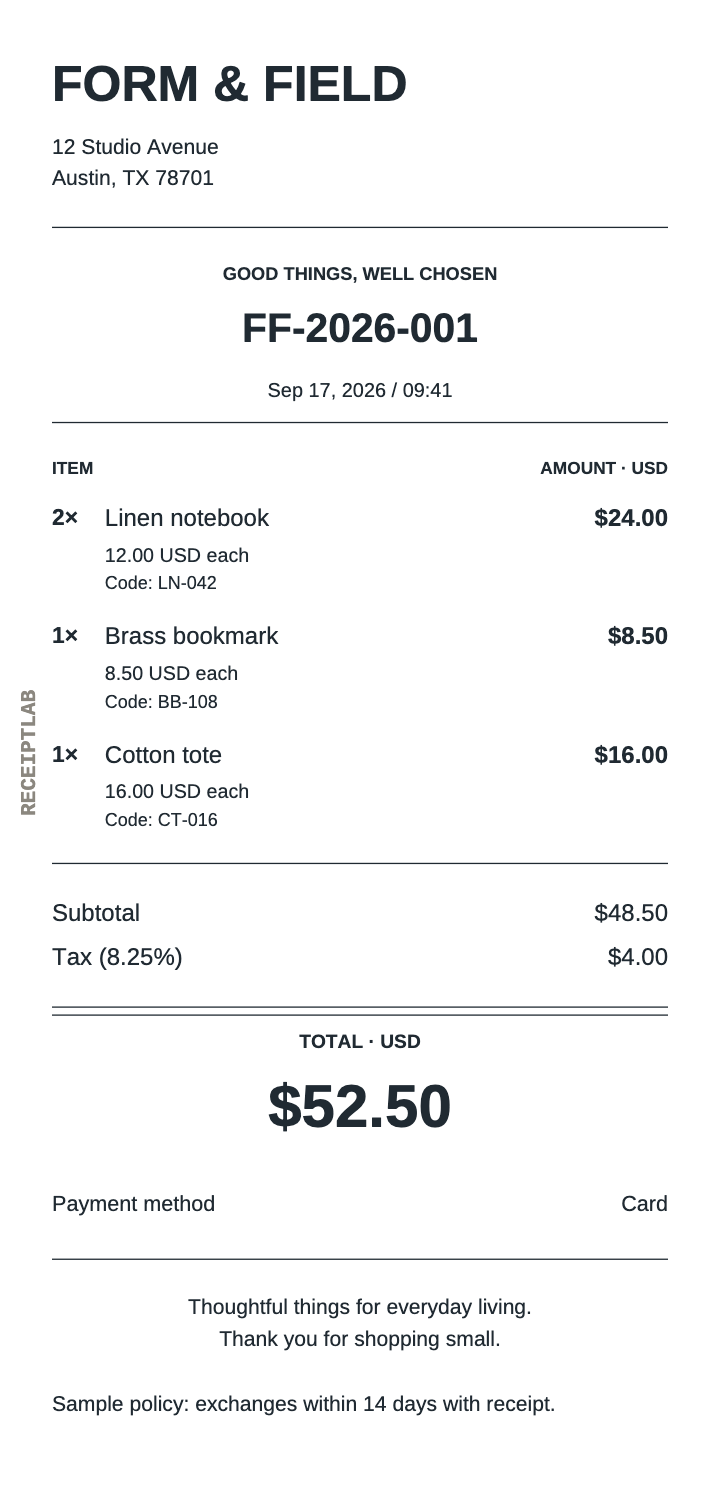
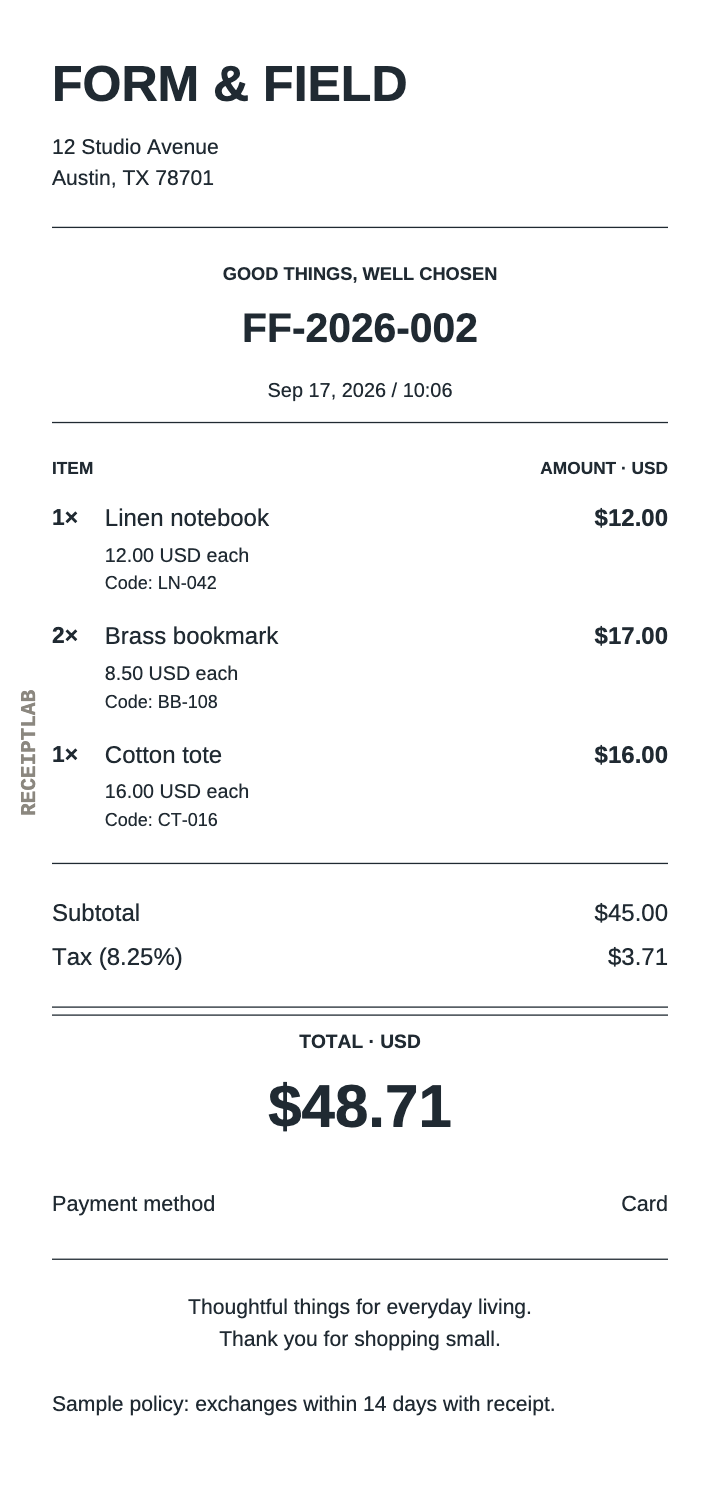
To enter a reference, open Receipt details, replace Receipt number and check it in the preview. Review the date and time in the same section. A template or reopened draft contains sample or previous values until you change them.
Keep a simple issue log outside the editor
A separate list can connect each reference with its sale and saved files. For these two examples, it might look like this:
| Reference | Date and time | Total | Payment record |
|---|---|---|---|
| FF-2026-001 | Sep 17, 2026 · 09:41 | $52.50 | Card, recorded as paid |
| FF-2026-002 | Sep 17, 2026 · 10:06 | $48.71 | Card, recorded as paid |
Use matching references in the names of your saved draft and exported receipt files so you can find the corresponding record. Check your list before assigning the next reference. ReceiptLab does not read this list or check a number against earlier exports.
If you discover a repeated reference, check the two underlying transactions before changing anything. Keep a clear note in your own records connecting any corrected copy to the original, so a later reader can understand what changed.
Before you reuse a saved draft
Save draft downloads an editable file containing the current receipt, including its reference. Open draft restores that content; it does not assign a fresh number. You can try this with receipt 001: save it, reopen it and check that FF-2026-001 is still in Receipt details.
- Keep the existing receipt’s draft and export together.
- Open the draft you want to reuse and check your separate issue log.
- Enter the reference for the new sale, then update the date and time.
- Replace items, quantities, adjustments, payment and any sale-specific notes.
- Compare the preview with the new transaction and record the reference in your log.
- Save the new draft and export under distinguishable file names.
Work is not saved automatically. Save the new draft before closing or reloading the tab. See save and open help for the file workflow, or the creation guide for the full receipt review.
Free PNG and PDF downloads include the ReceiptLab watermark, as these examples show. Paid exports without the watermark are planned; checkout is not available yet.