 Illustrative sample · fully editable
Grocery · PNG & PDF
Grocery Receipt Generator
Create a grocery receipt with fractional quantities for weighed produce, unit prices and aligned amounts. Edit the market details and tax rate.
Customize grocery receipt →No signup. Free exports include a watermark.
Paper options58 mm · 80 mm · A4
MAKE IT YOURS
What you can edit in this grocery receipt
- Compact ledger-style item rows
- Fractional quantities for weighed goods
- Left-aligned neighborhood-market header
- Your logo, date and receipt reference
- Paper width, typography and receipt sections
- PNG and PDF from the same preview
A REAL STARTING POINT
Grocery receipt example
Review the fictional sample, then edit the details for your own document.
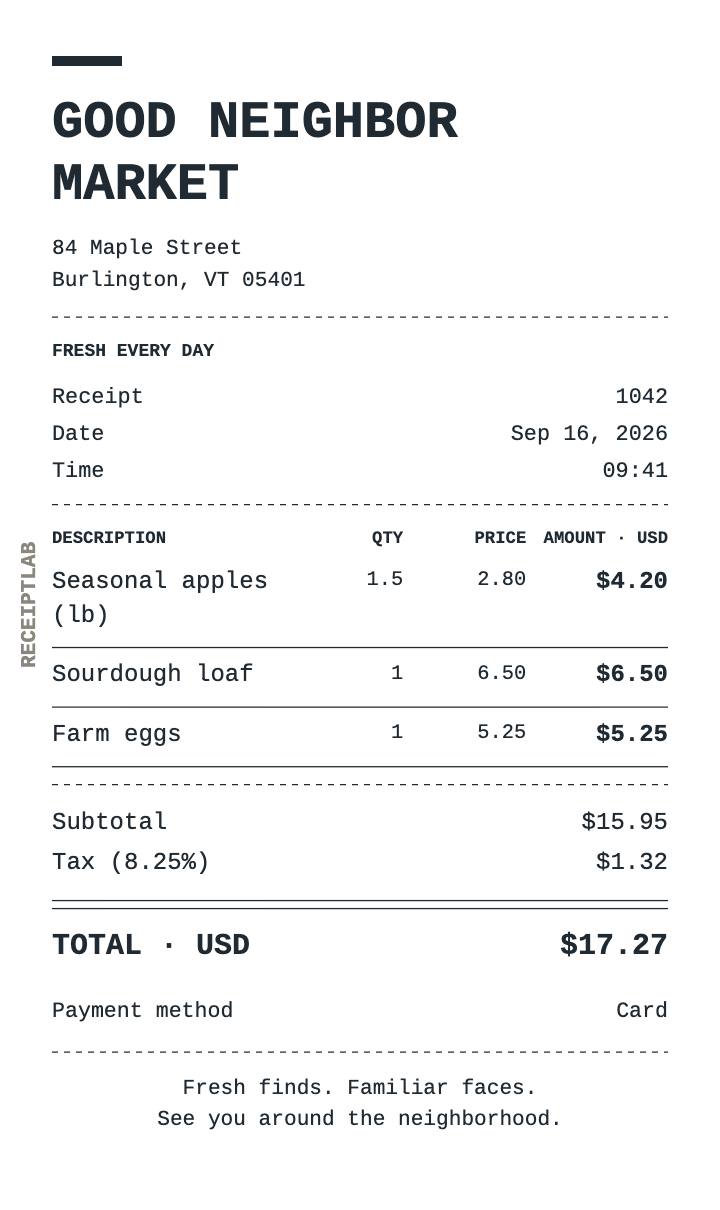
| Item | Quantity | Unit price | Amount |
|---|---|---|---|
| Seasonal apples (lb) | 1.5 | 2.80 | $4.20 |
| Sourdough loaf | 1 | 6.50 | $6.50 |
| Farm eggs | 1 | 5.25 | $5.25 |
| Subtotal | $15.95 | ||
| Illustrative tax (8.25%) | $1.32 | ||
| Total | $17.27 | ||
Illustrative 2026-09-23 transaction. Tax is a sample rate. Downloads include a watermark.
FROM TEMPLATE TO DOWNLOAD
How to make a grocery receipt
Open the matching template
Select Customize grocery receipt above. In Business & logo, update the heading, address and logo. Set the date and reference in Receipt details.
Record weighed and packaged goods
Put the selling unit in the item name, such as apples per pound. Enter the weight as quantity, while packaged products use a count.
Check and download
Review every line and the payment total. Select Download, choose your paper size and PNG or PDF, then download the watermarked file. Save an editable draft if you want to return later.
UNDERSTAND THE FORMAT
Reading this receipt
The business heading and transaction reference identify the receipt. The item rows explain the charges, and the total and payment sections summarize the amounts.
Quantity and unit price appear in separate columns, so each charge can be checked before reviewing the total.
A useful starting tip
Quantities support up to three decimal places, which is useful for produce sold by weight.
GOOD TO KNOW
Grocery receipt questions
Can quantities include decimals?
Yes, quantities support up to three decimal places. For 1.5 pounds priced at $2.80 per pound, enter quantity 1.5 and unit price 2.80.
Which file formats can I download?
Download a PNG image or a PDF with selectable text. Both use the same receipt data and include a watermark on the free plan.
Can I change the paper size?
Choose 58 mm, 80 mm or A4 in Appearance. Preview long descriptions at the size you intend to use, and match your printer settings when printing.
Can I save this receipt and edit it later?
Use Save draft to download an editable file to your device. Open draft restores that file. ReceiptLab does not automatically save your work.
Explore all grocery receipt templates →
Related receipt templates
Browse the collection →
Your grocery receipt starts here.
Customize grocery receipt →No signup. Edit on your device.